You can import data into 1Password from many different browsers and applications, including applications that export data in the comma-separated values (CSV) file format. You can also import directly from other apps in 1Password for iOS, as well as the 1Password Unencrypted Export format in the 1Password desktop apps.













Importieren einer CSV-Datei aus einer anderen App
Übertrage deine Logins, Kreditkarten und sicheren Notizen aus anderen Anwendungen in dein Konto auf 1Password.com. Erfahre, wie du eine CSV-Datei auf 1Password.com importieren kannst.
Import from another app in 1Password on your mobile device
If you use 1Password on iOS or iPadOS 26 or later, you can import data directly from apps that support the Credential Exchange standard.
For example:
- In the Passwords app on iOS, select the ellipsis icon > Export Data to Another App.
- In Bitwarden, follow these instructions. . Make sure to select Export vault to another app.
- In Dashlane, follow these instructions.
If you use 1Password on Android 14 or later, you can import data directly from apps that support the Credential Exchange standard.
To import your data from another app, make sure it’s installed on your device, then follow these steps:
- Öffne und entsperre 1Password.
- Select New Item, then select Migrate data into 1Password.
You may need to scroll down to see this option.
- Choose a password manager that supports Credential Exchange, like Dashlane.
- Select Start import, then follow the onscreen instructions.
Importiere eine unverschlüsselte 1Password-Exportdatei (.1pux)
If you’ve exported a 1PUX file from 1Password, you can import it using the 1Password apps.
- Öffne und entsperre 1Password.
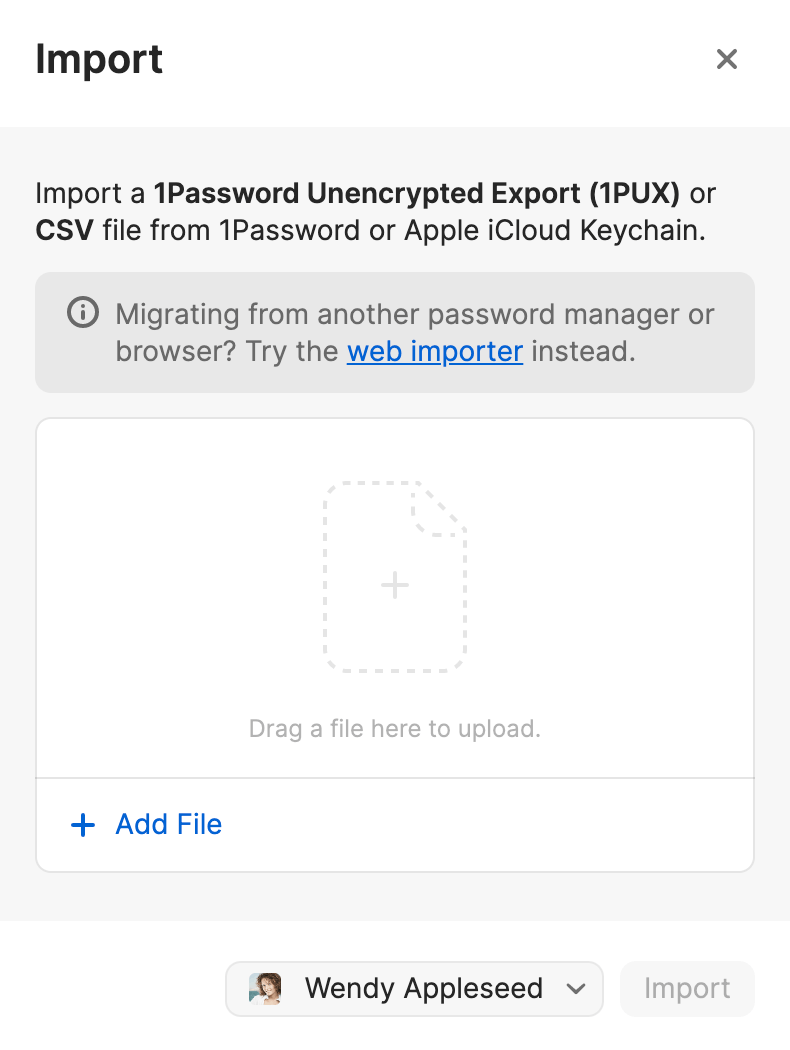
- Select File > Import from the menu bar.
- Wähle 1Password.
- Select Add File and select the 1PUX file from your file browser.
- Wähle das Konto, in das du importieren möchtest, und klicke auf Importieren.
- Öffne und entsperre 1Password.
- Select
 , then select Migrate data into 1Password.
You may need to scroll down to see this option.
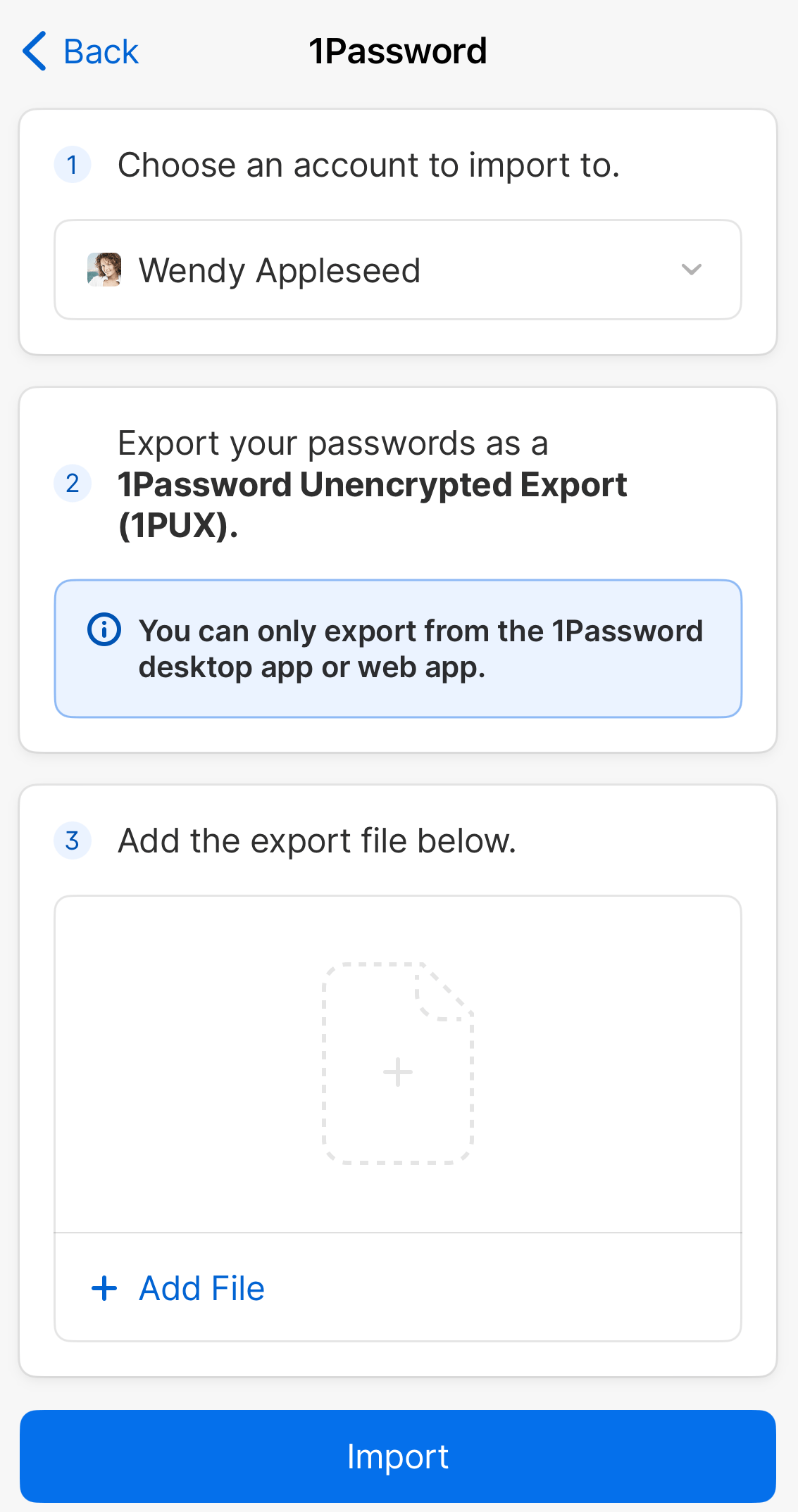
- Select 1Password, then select Upload a 1PUX file instead.
- Choose the account to import into, select Add File, and select the 1PUX file from your file browser.
- Select Import.
- Öffne und entsperre 1Password.
- Select the ellipsis at the top of the sidebar and select Import.
- Wähle 1Password.
- Select Add File and select the 1PUX file from your file browser.
- Wähle das Konto, in das du importieren möchtest, und klicke auf Importieren.
- Öffne und entsperre 1Password.
- Select New Item, then select Migrate data into 1Password.
You may need to scroll down to see this option.
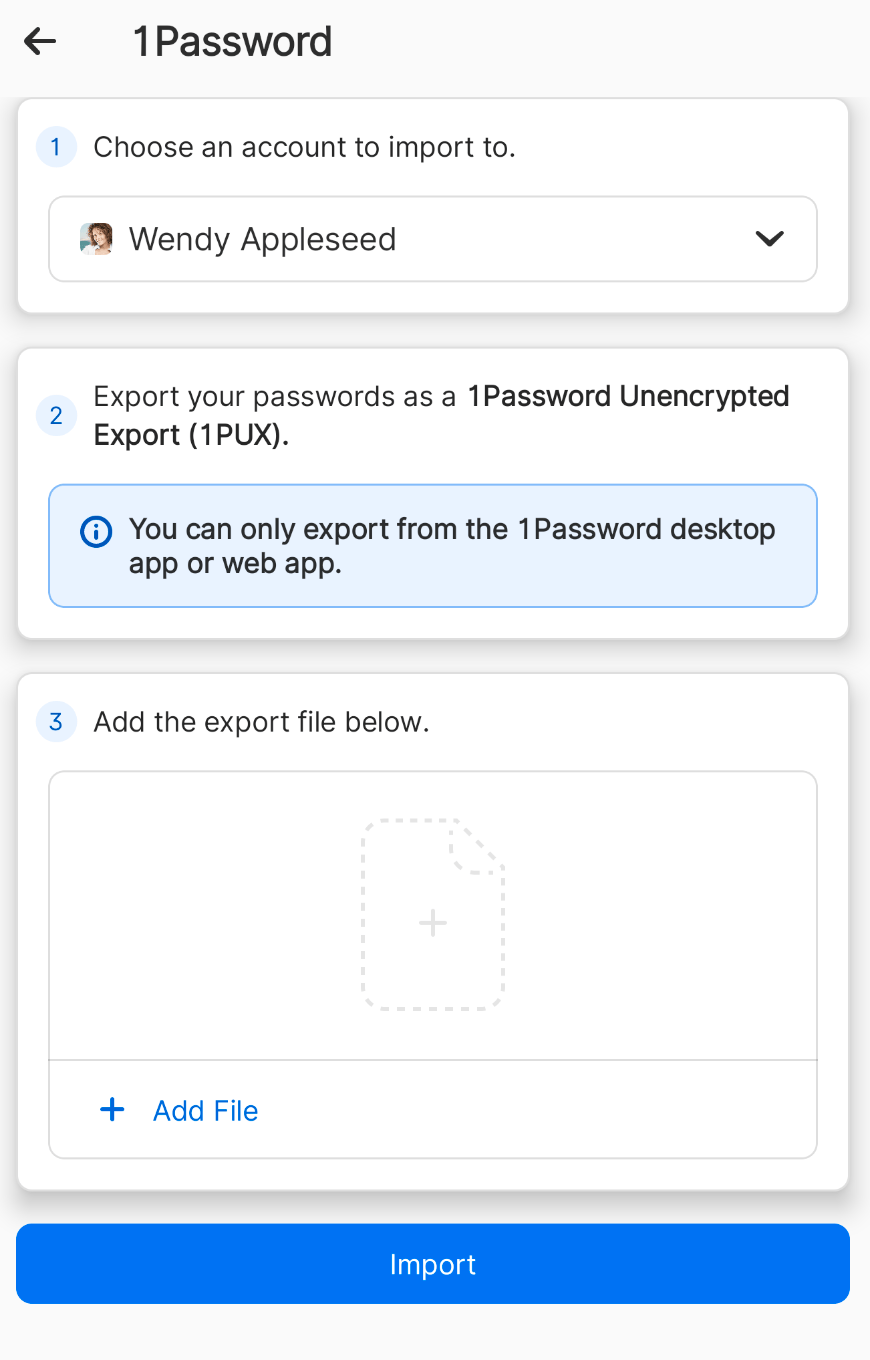
- Select 1Password, then select Upload a 1PUX file instead.
- Choose the account to import into, select Add File, and select the 1PUX file from your file browser.
- Select Import.
- Öffne und entsperre 1Password.
- Select the ellipsis at the top of the sidebar and select Import.
- Wähle 1Password.
- Select Add File and select the 1PUX file from your file browser.
- Wähle das Konto, in das du importieren möchtest, und klicke auf Importieren.
Wichtig
If you don’t have permission to create vaults in your team or business account, you’ll only be able to import items from the Employee, Personal, or Private vault associated with your 1PUX file.
Importieren einer 1Password Interchange Format (.1pif)-Datei
If you’ve exported a 1PIF file from another version of 1Password, you can import it into 1Password 7 for Mac or Windows. If you’re using 1Password 8, import a 1PUX file instead.
1Password 7 für Mac
- Öffne und entsperre 1Password.
- Wähle Datei > Importieren > Andere > 1PIF-Datei importieren.
- Wähle einen Tresor zum Importieren aus und wähle die 1PIF-Datei aus deinem Dateibrowser aus.
1Password 7 für Windows
- Öffne und entsperre 1Password.
- Wähle 1Password > Import > 1Password Interchange Format.
- Wähle einen Tresor zum Importieren aus und wähle die 1PIF-Datei aus deinem Dateibrowser aus.
Unterstützung erhalten
Wenn du eigenständige Tresore hast, erfahre, wie du deine bestehenden 1Password-Daten von eigenständigen Tresoren auf ein 1Password-Konto migrierst.
War dieser Artikel hilfreich?
Freut mich, das zu hören! Wenn du etwas hinzufügen möchtest, zögere nicht, uns zu kontaktieren.
Tut mir leid, das zu hören. Bitte kontaktiere uns, wenn du uns mehr darüber erzählen möchtest.